
Key takeaways
- A voltage drop over 0.2 volts across a battery terminal is enough to cause slow cranking.
- Always disconnect the negative cable first and reconnect it last to avoid a spark or short.
- A baking soda and water paste neutralizes corrosion safely before you scrub the terminals clean.
- Dielectric grease and a felt washer cost under 10 dollars and prevent most future corrosion.
- Overcharging above 14.7 volts is one of the most common hidden causes of terminal corrosion.
Your Polaris RZR cranks slower every morning this week, even though the battery tested at 12.6 volts three days ago. You pop the hood expecting a dying cell or a swollen case. Instead you find a crusty ring of white or pale green powder wrapped around the negative terminal, climbing up the cable insulation like frost.
That crust is not just ugly. It is resistance, and resistance in a starting circuit steals cranking amps at the exact moment the engine needs all of them.
Cleaning it right takes about 20 minutes and less than 15 dollars in supplies. Keeping it from coming back takes even less time than that.
Where That White or Green Crust Comes From
Every flooded lead acid battery vents a small amount of hydrogen gas and sulfuric acid vapor while it charges. That vapor settles on the terminals and reacts with the metal underneath. A little haze after a season is normal, but a thick, climbing buildup is not.
The negative terminal usually shows a white, powdery crust, mostly lead and zinc sulfate. The positive terminal often shows a blue-green crust, copper corrosion from the cable strands reacting with escaping acid vapor. Seeing more on one side than the other is normal and tells you where to focus first.
Three Things That Speed It Up
Overcharging is the biggest cause. If your charging system pushes more than 14.7 volts to the battery at cruise rpm, the battery gasses harder and corrodes faster. A loose terminal is another culprit, since it heats and arcs slightly under load, and that heat speeds up the buildup.
Mud, standing water, and road salt finish the job. This shows up most on a Can-Am Defender or Kawasaki Mule, since both sit low and get washed out on every ride.
How Corrosion Fakes a Bad Battery
Corrosion adds resistance at exactly the connection that has to pass 150 to 300 amps for a second or two every time you hit the start button. A healthy terminal connection loses less than 0.2 volts under that load. A corroded one can lose 0.5 to 1.5 volts or more, right at the clamp.
Add up a bad connection at the negative post, another at the positive post, and a tired ground strap, and the starter can see a volt or two less than the battery is actually making. On a 12 volt system, that is more than 8 percent of your cranking voltage gone before the starter ever spins.
I had a Can-Am Defender come into the shop last fall on its third battery in one season. The owner kept chasing a slow crank he was sure meant a bad battery, but every replacement tested above 12.6 volts and passed a cold load test.
The actual problem was a fist-sized ball of green crust hidden under a rubber boot on the positive cable end, invisible unless you peeled it back. Voltage drop across that one connection measured 1.4 volts. Fifteen minutes with a wire brush and baking soda fixed what two batteries could not.
Testing for a Corrosion Voltage Drop
You do not need to guess. Set a multimeter to DC volts, put one probe on the battery post itself and the other on the cable clamp, not on the same piece of metal. Crank the engine for no more than 5 seconds, read the meter, and repeat on the other terminal.
| Voltage Drop Across Terminal | What It Means | What To Do |
|---|---|---|
| 0.00 to 0.20 volts | Normal, clean connection | No action needed |
| 0.21 to 0.50 volts | Early corrosion or slight looseness | Clean terminal, retorque, retest |
| 0.51 to 1.00 volts | Significant corrosion buildup | Full clean and inspect the cable end |
| Over 1.00 volts | Severe corrosion or a damaged terminal | Clean thoroughly, replace the cable end if it does not improve |
What You Need Before You Start
This is a kitchen-table repair. Nothing here needs a lift or a shop full of tools.
- Safety glasses and rubber or nitrile gloves
- A dedicated battery terminal brush, about 6 to 10 dollars, or a stiff wire brush
- Baking soda and a small cup of water
- An old toothbrush or soft-bristle brush
- A 10 millimeter wrench for most terminal nuts, a few use 8 millimeter
- Dielectric grease, a small tube runs 5 to 8 dollars
- Felt anti-corrosion washers, a pack of 4 runs 3 to 5 dollars
- A torque wrench, if you have one
Safety
Battery terminal crust can carry trace sulfuric acid and lead compounds. Do not touch it to bare skin or let it near your eyes. Work in a ventilated space, wear the safety glasses, and wash your hands when you are done, even with gloves on.
Step by Step: Cleaning the Terminals Safely
Disconnecting the Cables
Shut off the machine and pull the key. Disconnect the negative cable first, always, the one marked with a minus sign.
Loosen the nut, twist the clamp free, and set the cable where it cannot swing back and touch the post. Then disconnect the positive cable the same way.
Disconnecting negative first matters. If your wrench slips while the positive terminal is still connected, it can bridge to any grounded metal on the frame and throw a spark or a short. With negative off first, that path does not exist.
Neutralizing and Scrubbing
Mix a paste of 1 tablespoon of baking soda with about 2 tablespoons of water until it is thick, not runny. Apply it to both posts and both cable clamp ends. It will fizz on contact with acid residue, a sign it is neutralizing.
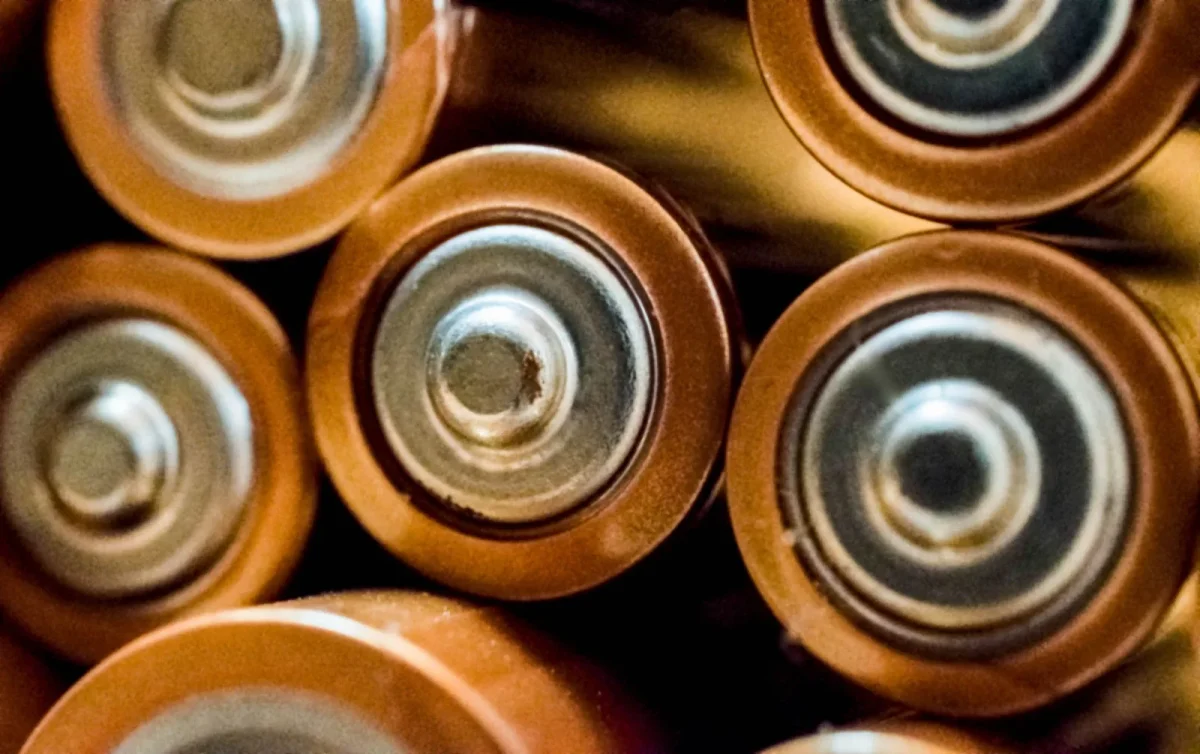
Scrub with the terminal brush or toothbrush until the metal underneath is bright, usually 30 seconds to a minute per terminal. For heavy, caked-on buildup, let the paste sit for 5 minutes first, then scrub again.
Rinsing and Drying
Rinse with a small splash of clean water to carry off the loosened crust and leftover paste, then dry both terminals and clamps completely with a rag. Any moisture trapped under a clamp restarts the corrosion clock immediately.
While everything dries, check the cable ends and posts for pitting, cracking, or a clamp that will not close tight anymore. A cracked clamp or a post worn thin needs a new part, not just a cleaning.
Reconnecting, Protecting, and Torquing It Down
Reconnect in reverse order: positive cable first, then negative. Before you tighten either clamp, coat the post and the inside of the clamp with a thin layer of dielectric grease, or slide a felt anti-corrosion washer over the post first.
Tighten the terminal nuts to spec, typically 60 to 80 inch-pounds (about 5 to 7 foot-pounds) on most small powersports terminals. Too loose invites arcing and heat, which brings the corrosion right back.
Too tight can crack the post or strip a soft clamp. Wipe away any grease that squeezed out so it does not collect dust and grit.
Preventing Corrosion From Coming Back
Cleaning solves today’s problem. A few habits keep it from becoming a monthly chore.
- Verify charging voltage stays between 13.8 and 14.7 volts at the battery with the engine at 2500 to 3000 rpm
- Check terminal tightness every month or two, more often on rough trails
- Keep the battery vent tube, if your model has one, unblocked and routed away from the terminals
- Wipe both terminals with a dry rag at every oil change
- Replace felt washers or refresh dielectric grease once a season
- Rinse mud and standing water off the battery box after wet rides
Prevention Tip
A felt anti-corrosion washer under each clamp, combined with a thin coat of dielectric grease, is the cheapest insurance you can buy for a UTV battery. Both together cost less than 10 dollars and take 2 minutes to install.
A clean terminal is a 20 minute job that can save you a battery you did not actually need to replace. Check both ends, not just the ugly one, since the hidden side often hides worse corrosion than the side you can see.
If you just cleaned your terminals and the machine still cranks slow, run the voltage drop test again before you buy a new battery. A drop under 0.2 volts on both terminals means the connection is no longer your problem, and the fault has moved to the battery itself, the starter, or the charging system.
Keep a small tube of dielectric grease and a spare felt washer in your tool box. The next time you spot that white or green fuzz creeping up a cable, you can knock it out before it costs you a morning.
Frequently asked questions
What causes white or green corrosion on a UTV battery terminal?
It comes from hydrogen gas and acid vapor that vent from the battery during normal charging, reacting with the terminal metal. Overcharging above 14.7 volts, a loose terminal that arcs under load, and exposure to mud or road salt all speed it up. A little haze after a season is normal, but a thick climbing crust is not.
Can battery corrosion really cause a slow crank or a no start?
Yes. A corroded terminal can add 0.5 to 1.5 volts of resistance right at the connection, which steals cranking amps exactly when the starter needs them most. A battery that tests 12.6 volts resting can still crank slowly or produce a single click if the terminals are bad enough.
Is it safe to clean battery corrosion with baking soda?
Yes, a paste of 1 tablespoon of baking soda to about 2 tablespoons of water safely neutralizes the acid in the corrosion before you scrub. Wear safety glasses and gloves, since the crust can carry trace sulfuric acid and lead compounds, and always disconnect the negative cable first.
How tight should UTV battery terminal bolts be?
Most small powersports terminal nuts want about 60 to 80 inch-pounds, roughly 5 to 7 foot-pounds. Too loose lets the connection heat and arc, which brings corrosion back quickly, while over tightening can crack the post or strip a soft clamp.
How do I stop battery terminals from corroding again?
Coat each post with dielectric grease or add a felt anti-corrosion washer before you reconnect the clamp, which costs under 10 dollars total. Also confirm your charging system holds 13.8 to 14.7 volts at the battery, since overcharging is one of the most common hidden causes.

Vidya Verma
Vidya Verma is a UTV and powersports technician with hands-on experience diagnosing electrical, charging, and starting problems on Polaris, Can-Am, and other side-by-side platforms. She writes practical, workshop-tested repair guides that help owners troubleshoot faults, choose the right parts, and get their machines running reliably in the field. When she's not under the hood, she's out riding trails and stress-testing the same fixes she recommends.


